Applied Health Statistics Instructions:You will analyze a dataset using R or SPSS and answer questions from your findings. You need
to answer all questions. Please write your answers in numbered complete sentences (with
numbers corresponding to the question number answered) in a Microsoft Word document.
Dataset Information:
You are a researcher examining the effect of fluoridated drinking water on tooth decay. You
obtain two samples of patients, one sample from Tucson, Arizona and one sample from Phoenix,
Arizona. These patients are all 30 years old and have lived their entire lives in their current cities.
Tucson does not have fluoride in its drinking water, while Phoenix began adding fluoride to its
drinking water in 1990. You obtain the number of decayed, missing, or filled permanent teeth for
each patient. You would like to compare the mean number of decayed teeth for Tucson patients
with the mean number of decayed teeth for Phoenix patients to see if there is a difference. This
will help you to determine the effect of city-wide drinking water fluoridation on tooth decay.
You perform a two-tailed t test for independent samples, setting your significance level at
α=0.05. Your dataset contains a unique identifier for each patient (“patient_ID”) along with a
group assignment for each patient (“city”). The value for “city” is either “Tucson” or “Phoenix”
depending on where the patient lives. Finally, there is a variable called “teeth” which shows the
number of decayed, missing, or filled permanent teeth for each individual patient. Dataset Excel
file is attached.
Analysis Instructions for SPSS users:
1. After saving the dataset to a designated location on your computer (or your Citrix Virtual Lab
desktop), open SPSS.
2. Once in SPSS, close the dialog box entitled “Welcome to IBM SPSS Statistics”.
3. Read in the dataset by going to File > Import Data > Excel. Use the resulting dialog box to
navigate towards where you have saved the dataset. Select the dataset file and click Open. Click
OK in the following dialog box entitled “Read Excel File”.
4. Look at the dataset that you have loaded in. Notice that you have three columns, including a
unique identifier variable called “patient_ID,” a group variable called “city,” and your outcome
variable calleth “teeth.”
5. At this time, you can scroll through the patients by ID number to determine their city of
residence and number of decayed teeth.
6. From the ribbon at the top of the screen, Click Analyze > Compare Means > IndependentSamples T Test. You will now see the Independent-Samples T Test dialog box.
7. Click on the variable named “teeth” and move it to the Test Variable(s) box.
8. Click on the variable named “city” and move it to the Grouping Variable(s) box.
9. Below your selection of “city” as a Grouping Variable, click on “Define Groups…”
10. In the Define Groups dialog box, enter “Tucson” (without quotes) in the Group 1 box, and
“Phoenix” in the Group 2 box. Click Continue. Click OK.
11. The results of the t test will appear. You will be able to see the sample size and mean number
of decayed teeth for both groups. You will also be able to see the obtained t test statistic value,
the number of degrees of freedom, and the p-value associated with the two-tailed test (under
“Sig. (2-tailed)”). Assume equal variances between the two groups when you obtain your
answers to the questions.
Analysis Instructions for R users:
1. Open the “Extra Credit R Code.R” file in RStudio.
2. To run a line of code, highlight the code and select Ctrl + Enter at the same time.
3. REMEMBER: you will need to switch the working directory to the file path where your
dataset is saved.
4. Follow the green annotated instructions in the code to read in the dataset.
5. To open and look at the dataset, click on “data” under the “Data” heading in your
Environment tab. There, you can scroll through the patients by ID number to determine their city
of residence and number of decayed teeth.
6. Run the code to obtain the mean and standard deviation number of decayed teeth for each
city’s patients (Phoenix or Tucson). These values will appear in the “Values” section under the
“Environment” tab in the top right box.
7. Next, run the code to perform the t test for independent samples. The results of this test will be
found in the bottom left box called the “Console.” Here, you will see the obtained t test statistic
value, the number of degrees of freedom, and the p-value associated with the test.
Questions to be answered:
1. How many patients are in the Phoenix sample?
2. How many patients are in the Tucson sample?
3. What is the number of decayed, missing or filled permanent teeth for patient ID #16?
4. Is patient ID #46 a resident of Phoenix or Tucson?
5. What is the mean number of decayed, missing or filled permanent teeth among the sample of
patients living in Phoenix?
6. What is the mean number of decayed, missing or filled permanent teeth among the sample of
patients living in Tucson?
7. What is the standard deviation for the number of decayed, missing or filled teeth among the
sample of patients living in Phoenix?
8. What is the standard deviation for the number of decayed, missing or filled teeth among the
sample of patients living in Tucson?
9. What is your null hypothesis for this study? (You do not have to use symbols; you can write in
English.)
10. Given that you have decided to perform a two-tailed t test for independent samples, is your
research hypothesis directional or nondirectional?
11. What is your research hypothesis? (You do not have to use symbols; you can write in
English.)
12. What is the t test statistic value from the test that you performed?
13. What is the number of degrees of freedom associated with the t test that you performed?
14. What is the p-value associated with the t test that you performed?
15. You have set your significance level at α=0.05 and performed a two-tailed t test for
independent samples. Using this information and the degrees of freedom from your SPSS or R
output, what is the critical t value for your test?
16. Does your t test statistic value exceed the critical t value?
17. Do you reject or fail to reject your null hypothesis?
18. What can you conclude about patients from Tucson and Phoenix as a result of your
significance testing?
19. What is still unknown about the patients from Tucson and Phoenix after you have performed
this significance test?
20. What are some next steps that you can take in your analysis?
install.packages(“readxl”) #If you have already installed for an earlier assignment, don’t need to
install again
install.packages(“dplyr”)
library(readxl) #Loads readxl package for reading excel files into RStudio
library(dplyr) #Loads package for data management
setwd(“C:/Users/Jennie/Desktop/GCH335/Extra Credit”) #Sets working directory to folder
where I have saved the dataset
#Needs to be updated to the location where YOU have saved the dataset on your computer
data
Essay Writing Service Features
Our Experience
No matter how complex your assignment is, we can find the right professional for your specific task. Achiever Papers is an essay writing company that hires only the smartest minds to help you with your projects. Our expertise allows us to provide students with high-quality academic writing, editing & proofreading services.
Free Features
Free revision policy
$10Free bibliography & reference
$8Free title page
$8Free formatting
$8How Our Dissertation Writing Service Works
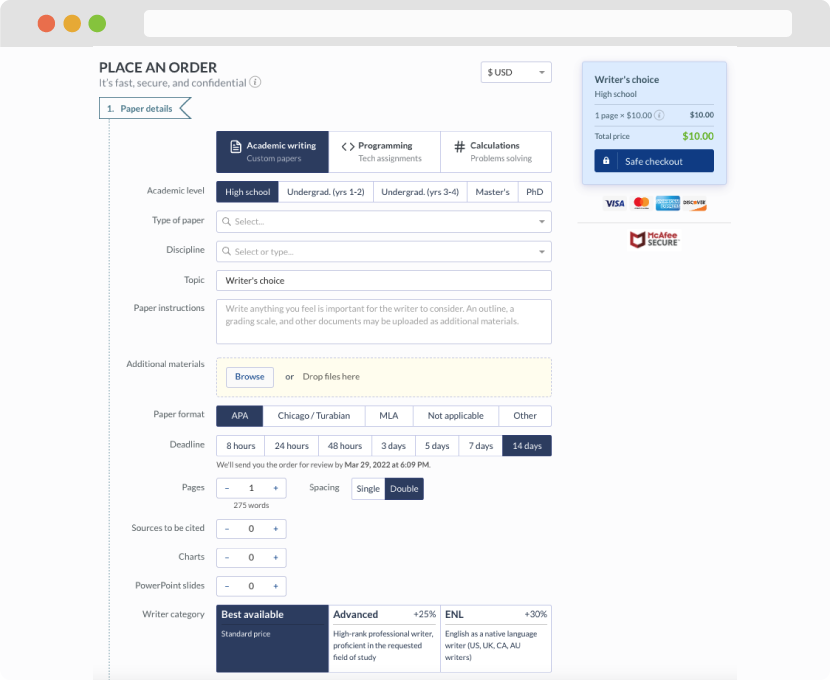
First, you will need to complete an order form. It's not difficult but, if anything is unclear, you may always chat with us so that we can guide you through it. On the order form, you will need to include some basic information concerning your order: subject, topic, number of pages, etc. We also encourage our clients to upload any relevant information or sources that will help.
Complete the order form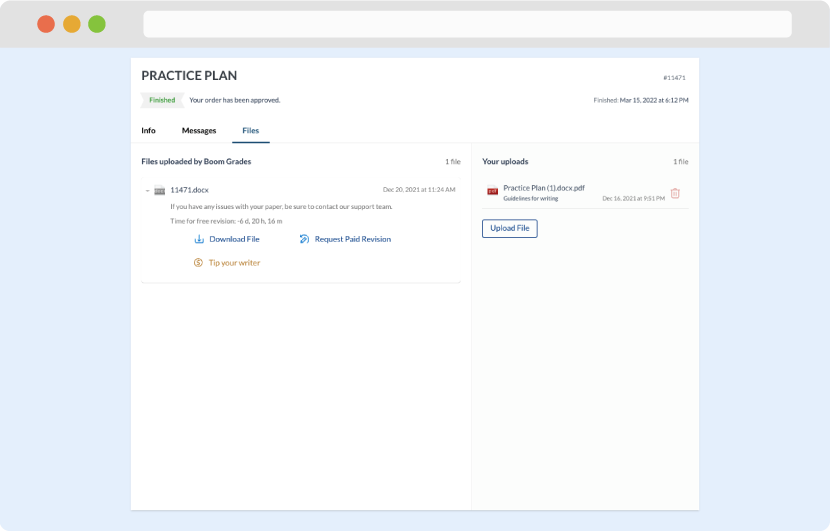
Once we have all the information and instructions that we need, we select the most suitable writer for your assignment. While everything seems to be clear, the writer, who has complete knowledge of the subject, may need clarification from you. It is at that point that you would receive a call or email from us.
Writer’s assignment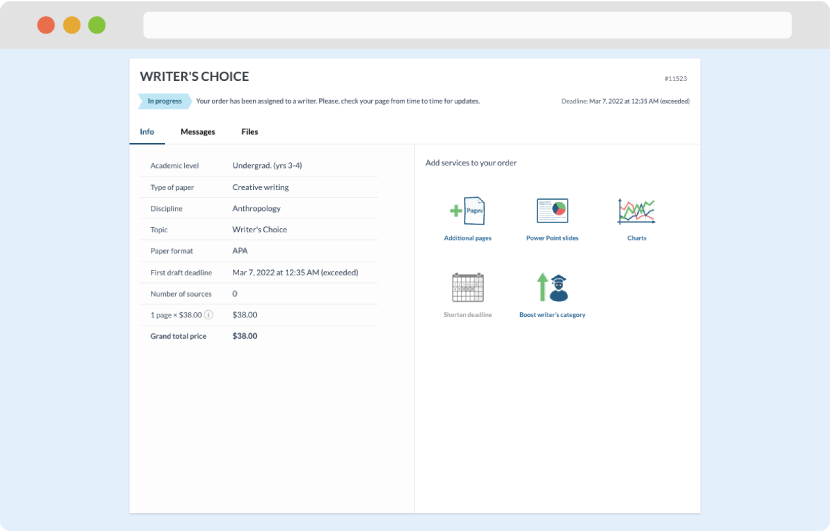
As soon as the writer has finished, it will be delivered both to the website and to your email address so that you will not miss it. If your deadline is close at hand, we will place a call to you to make sure that you receive the paper on time.
Completing the order and download